What is MCP?
MCP stands for Model Context Protocol.
It’s a new open standard that enables AI agents to talk to tools and APIs and share information securely, in real time.
Think of it like this:
LLM + Tools = Agent.
MCP is what makes that “+ Tools” part easier, flexible, and secure.
Think of MCP Like a USB-C Cable
Let’s break it down with a simple analogy:
- You have a laptop (Agent) and a smartphone (Data Source).
- You want to transfer photos from your phone to your laptop.
- So, you use a USB-C cable (MCP) to connect them.
- The cable doesn’t care what brand your devices are as long as they speak the same protocol, they can share data seamlessly.
Now imagine the same idea, but with AI tools:
- The laptop is an AI agent like Amazon Q or Claude.
- The phone is a data source like a database, API, or local file.
- The USB-C cable is MCP the protocol that lets these tools talk to each other and get things done.
MCP acts like the connector between agents and the tools they need to be useful in real-world workflows.
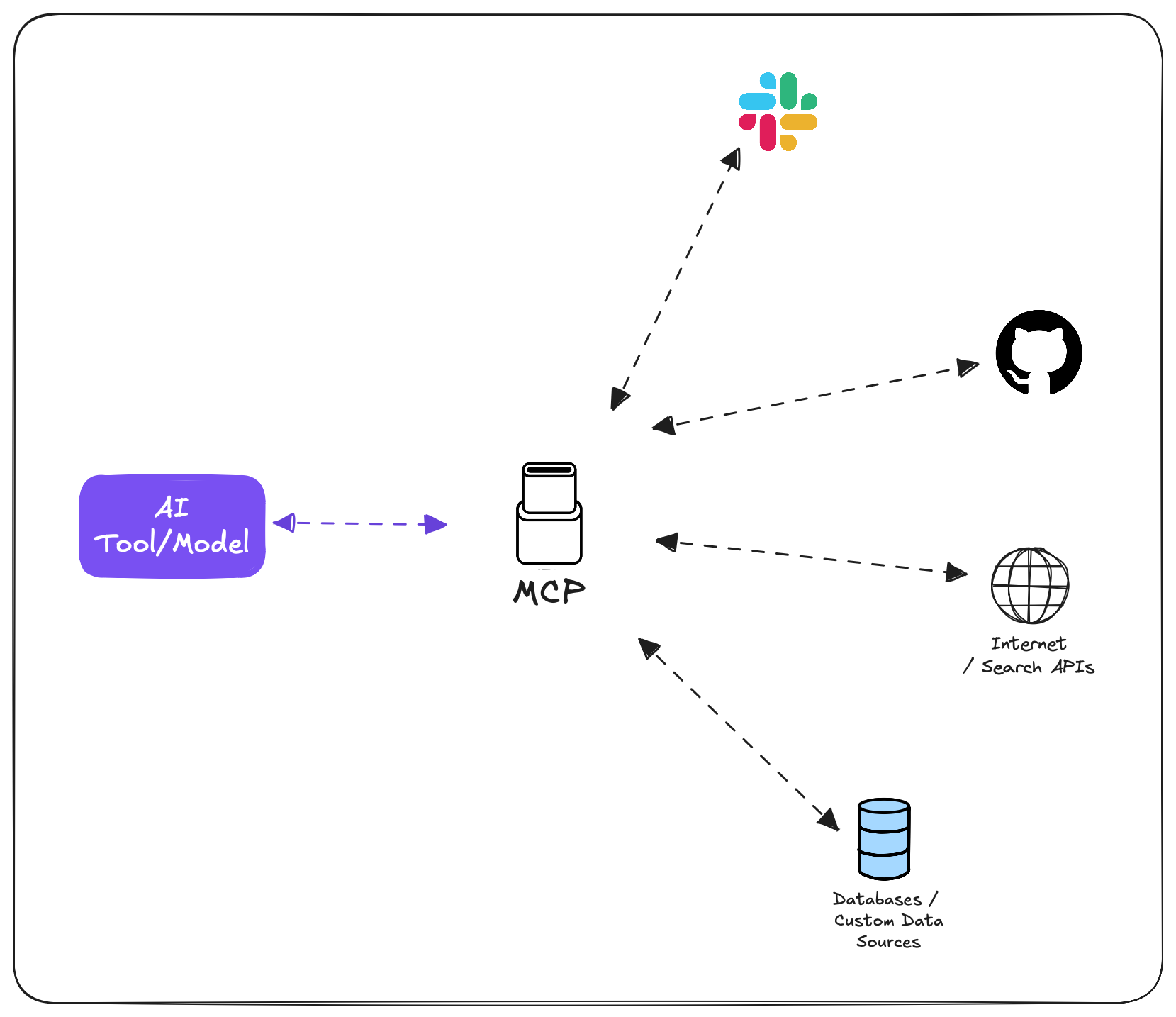
A Real-World Use Case
Let’s say your company has important business data in a PostgreSQL database. You’d like a GenAI assistant to read from that data and generate reports or automate tasks.
With MCP, this becomes very doable:
- Set up a PostgreSQL MCP server to expose that data.
- Connect an agent (like Amazon Q) to it using MCP.
- The agent can now securely query the database, generate insights, or automate reporting all while respecting any permissions you configure on the MCP server.
Basically, MCP works like an API layer between your tools and the agent, but with more flexibility and control.
Components of MCP
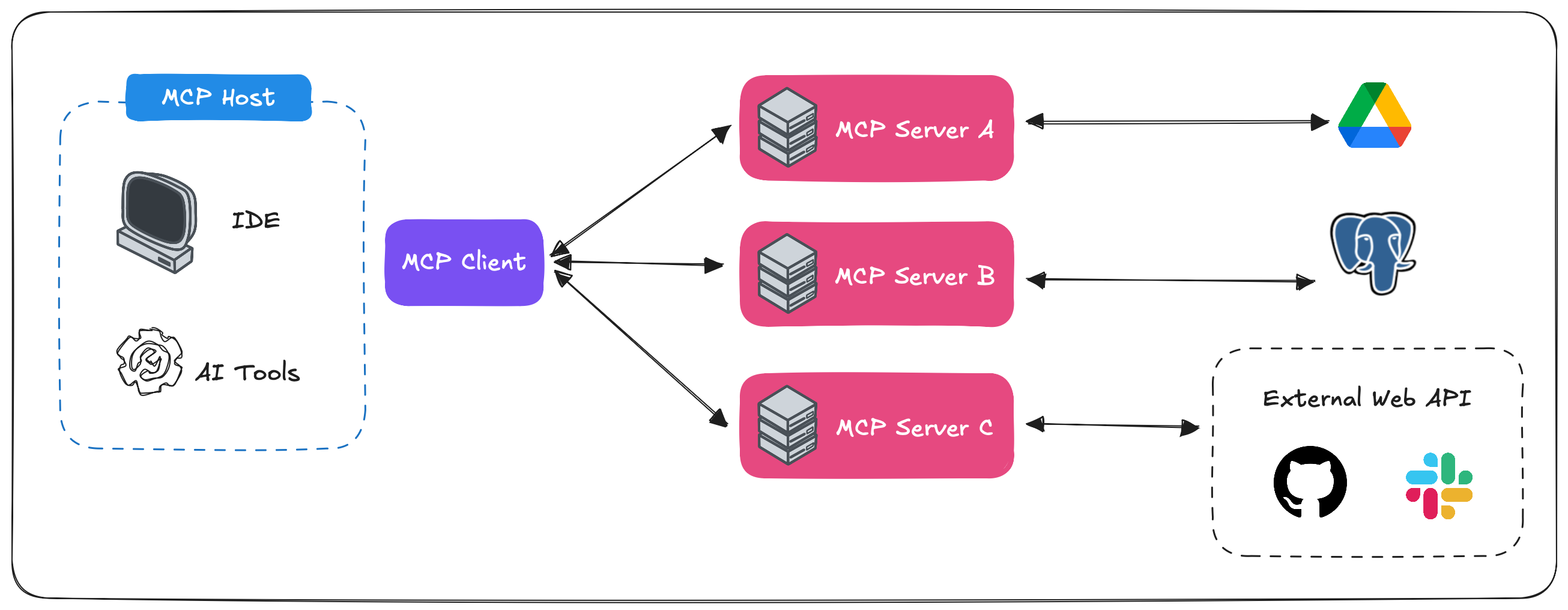
Let’s look at the core pieces that make MCP work:
MCP Server:
A service that exposes a data source or tool like a database, CLI, or document for an agent to use.
MCP Client:
Usually the AI agent or model (like Claude or Amazon Q) that initiates the interaction by sending requests.
MCP Protocol:
The communication standard that defines how the client and server talk. Think of it like the “language” they both understand.
MCP Host:
Where the MCP client or server runs. This might be:
- Your local machine (e.g., Claude Desktop, Cursor IDE)
- An app or agent hosted in the cloud using frameworks like LangChain or Strands
Wrapping It All Up
As you can see, MCP acts like the API/backend for agents, making them capable of interacting with the real world. Plugging in or removing tools could become as easy as installing a plugin or extension (like in Cursor IDE).
It’s early days, but the potential is huge and growing fast.
🚀 Want to Try It Yourself?
If you’re curious to explore MCP, here are some next steps you can try out:
- Set up your own MCP server using the open-source
fastmcptemplate: fastmcp on PyPI - Connect it to a database, folder, or API
- Then test how an agent like Claude Desktop or Amazon Q can interact with it
Thanks for reading! 🎉
If this post helped clarify what MCP is all about, feel free to share it, or let me know what you’re building with it. Excited to see where this goes!